
Building an AI WhatsApp Assistant:
Using n8n, UltraMsg and OpenAI
⏱ 10 min read | 🤖 AI Automation | 🎯 For Builders & Decision Makers
Introduction to an AI WhatsApp Assistant
WhatsApp automation becomes significantly more powerful when it moves beyond static auto-replies. Today, an AI WhatsApp Assistant can understand user intent, remember conversation context and interact with real systems such as calendars, databases and CRMs.
As businesses scale customer engagement, WhatsApp is emerging as a preferred interface. Therefore, combining orchestration tools with AI reasoning is now essential. In this guide, we build a production-ready AI WhatsApp Assistant using n8n, integrated with intelligent messaging, memory and scheduling capabilities.
Specifically, this workflow connects:
- UltraMsg for WhatsApp messaging
- OpenAI for natural language understanding
- Conversational memory for context
- Google Calendar for availability checks
As a result, this design supports appointment booking, AI customer support and SaaS-style WhatsApp automation platforms.
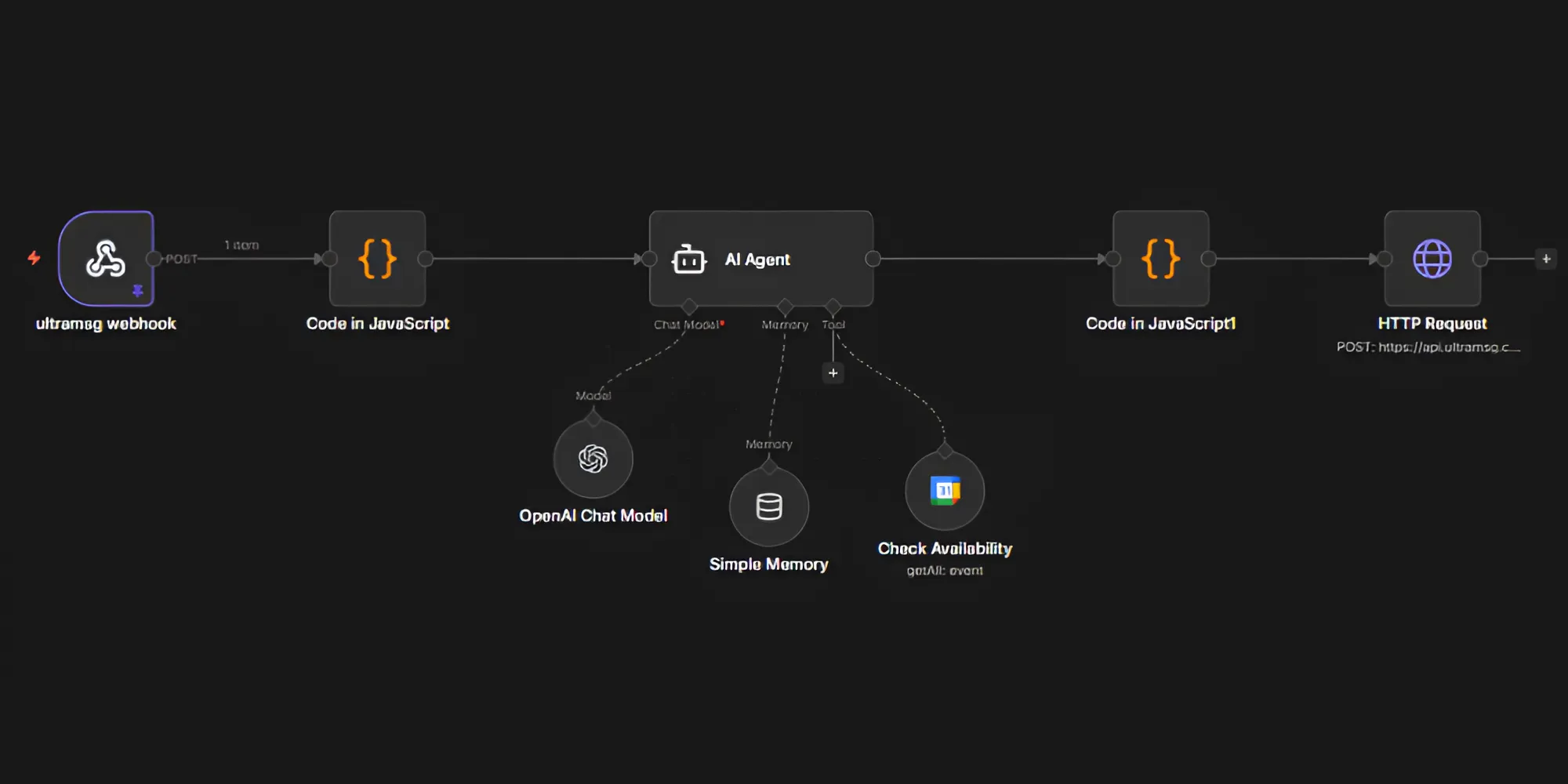
What Does This AI WhatsApp Assistant Workflow Do?
At a high level, this AI WhatsApp Assistant performs the following steps:
- Receives incoming WhatsApp messages via UltraMsg
- Normalizes and prepares the message payload
- Passes the message to an AI Agent
- Allows the AI to reason, remember and invoke tools
- Formats the final response
- Sends the reply back to WhatsApp
Importantly, this is not a chatbot flowchart. Instead, it is an event-driven AI workflow designed for real-world automation.
High-Level Architecture of the AI WhatsApp Assistant
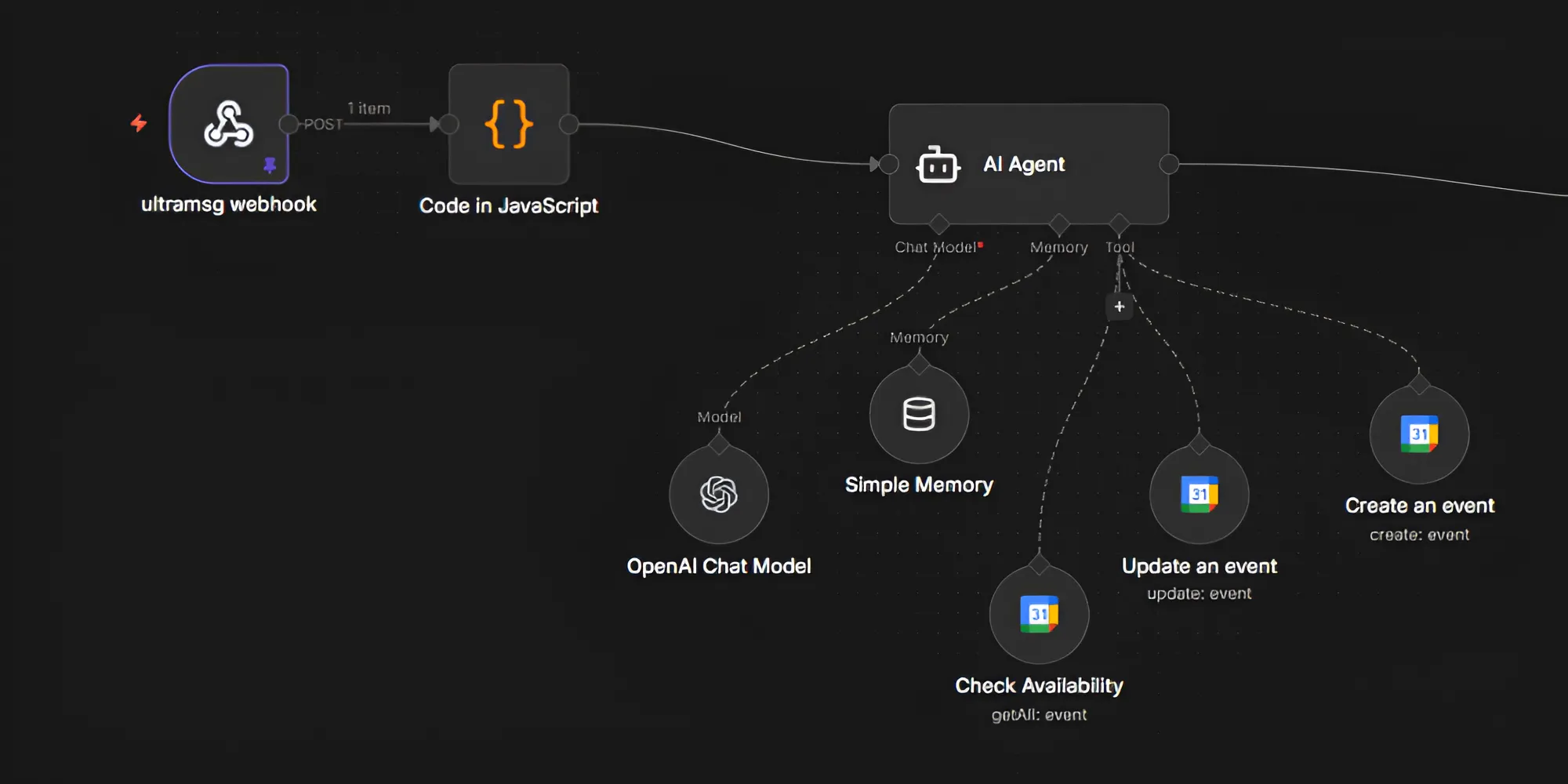
The architecture of this AI WhatsApp Assistant follows a clean, modular design:
WhatsApp User
 ↓
 UltraMsg Webhook
 ↓
 n8n Webhook Trigger
 ↓
 Message Normalization (JavaScript)
 ↓
 AI Agent
 • OpenAI Chat Model
 • Simple Memory
 • Calendar Tool
 ↓
 Response Formatter (JavaScript)
 ↓
 UltraMsg Send Message API
 ↓
 WhatsApp User
This structure ensures clarity, scalability and production readiness.
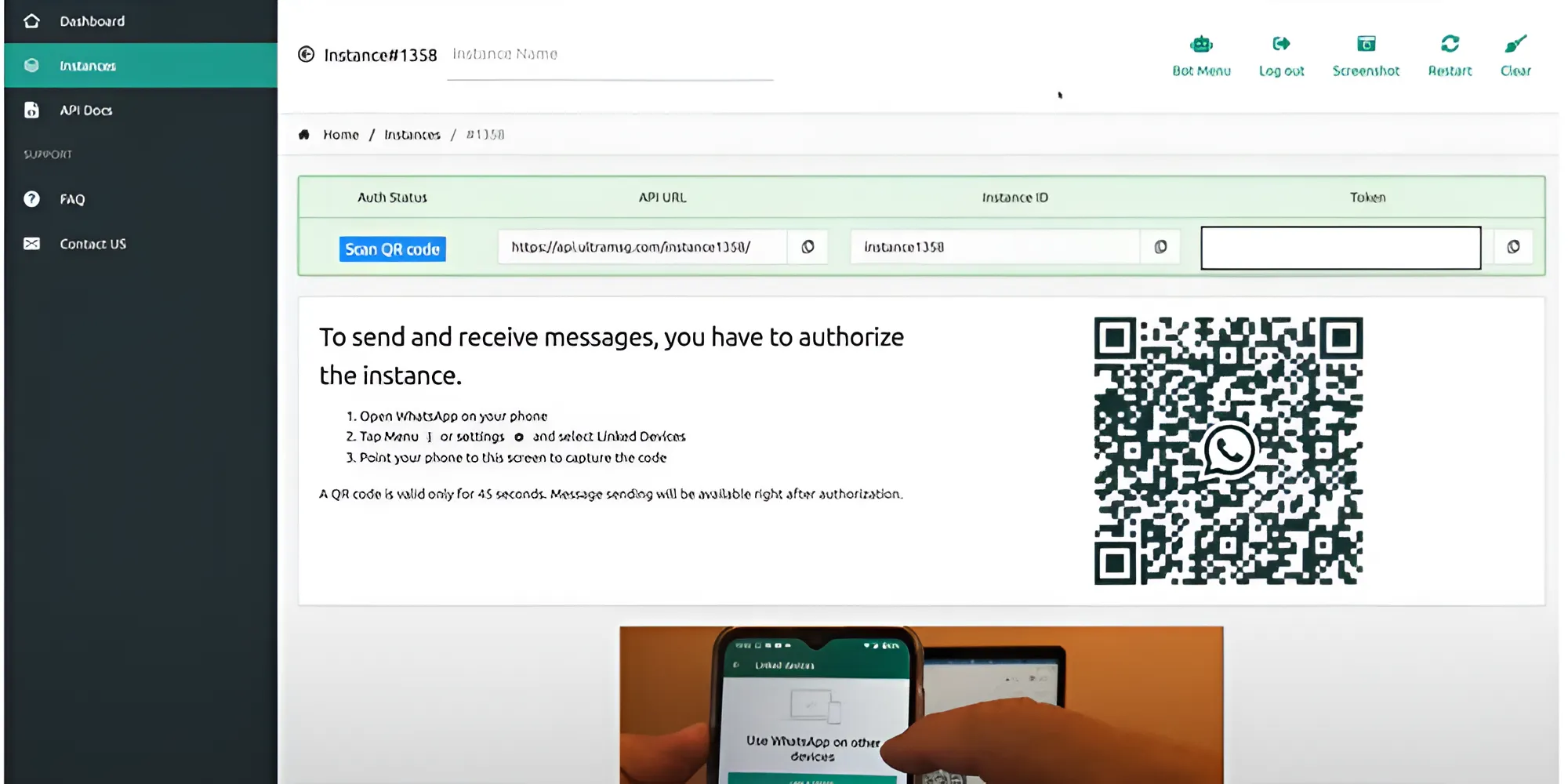
Step 0: UltraMsg Configuration
UltraMsg acts as the WhatsApp provider for this AI WhatsApp Assistant. It enables message delivery and webhook triggering.
Configuration steps:
- Sign up using an email address
- Create a new UltraMsg instance
- Link the WhatsApp number to your device
- Save the following details for later use:
- API URL
- Instance ID
- Authentication token
After the trial period, pricing plans are available to continue services.
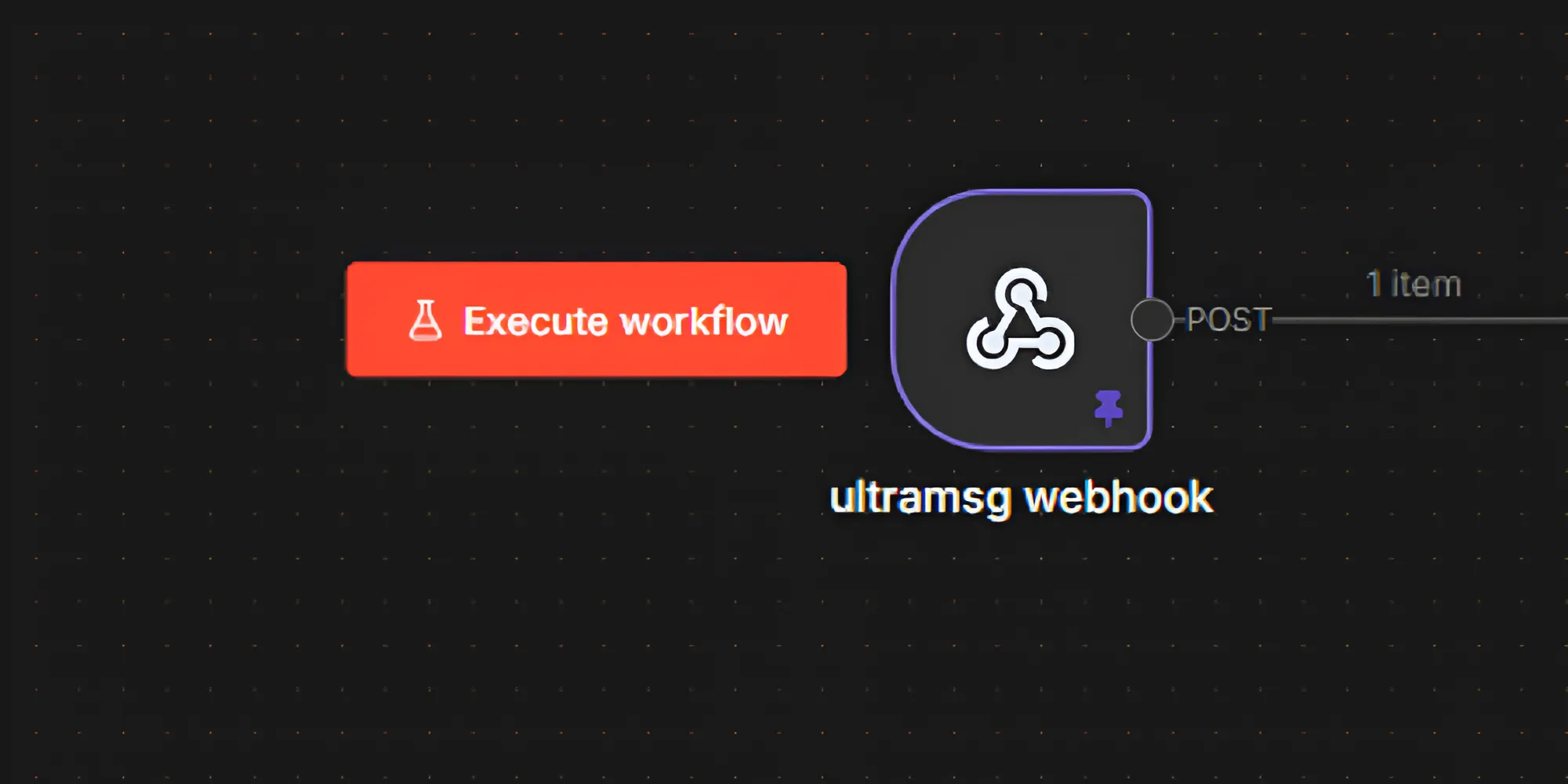
Step 1: UltraMsg Webhook – WhatsApp Entry Point
The UltraMsg webhook serves as the entry point for every message sent to the AI WhatsApp Assistant.
This node receives inbound WhatsApp events, including:
- Sender phone number
- Message content
- Message metadata
For production use, the webhook URL from this node must be configured inside UltraMsg.
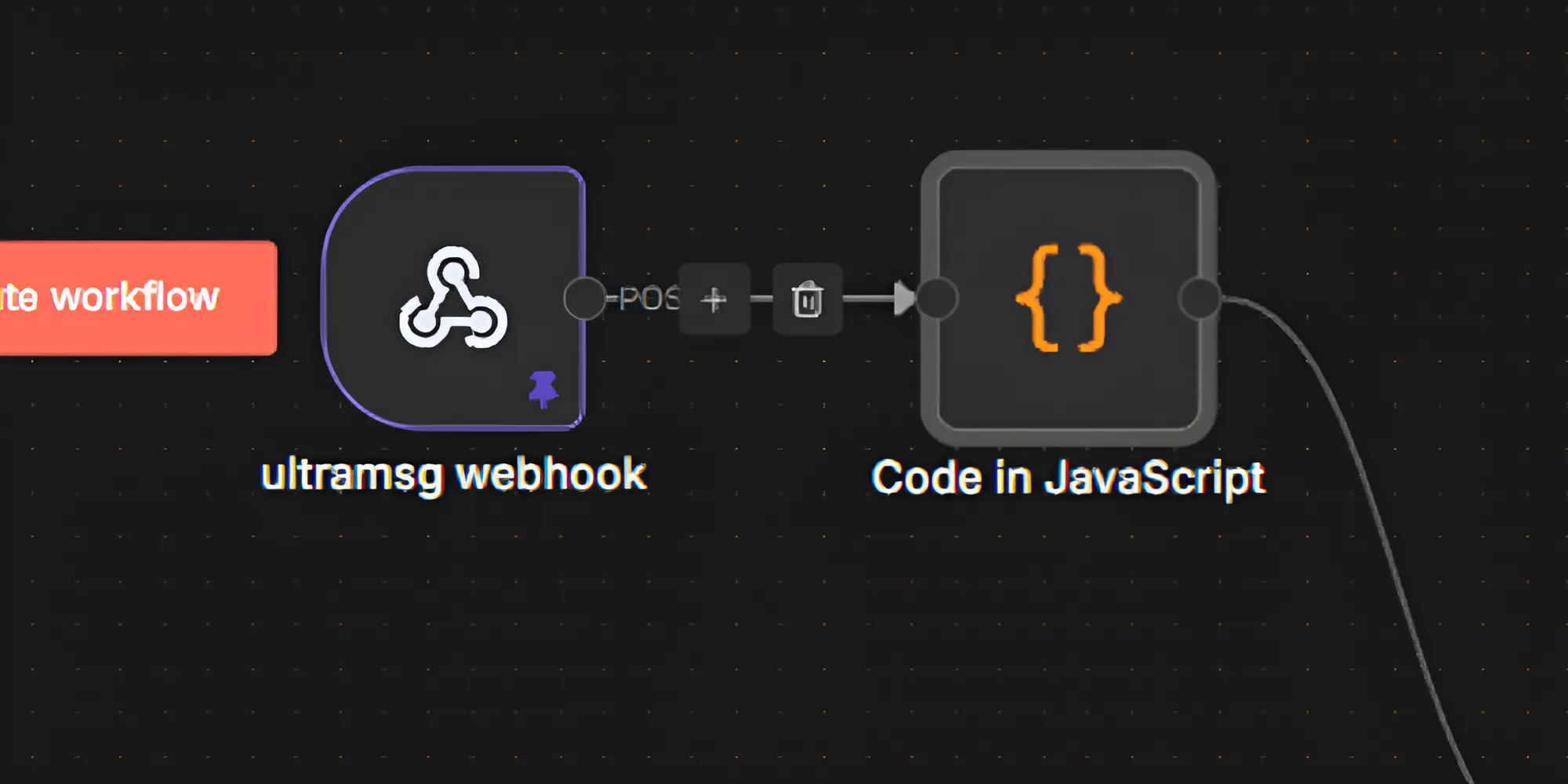
Step 2: JavaScript Node – Message Normalization
Incoming webhook payloads are often deeply nested and provider-specific. Therefore, normalization is essential.
This JavaScript node extracts:
- Sender phone number
- Message text
- Only relevant metadata
As a result, prompts remain clean, debugging becomes easier and future scaling is simplified for the AI WhatsApp Assistant.
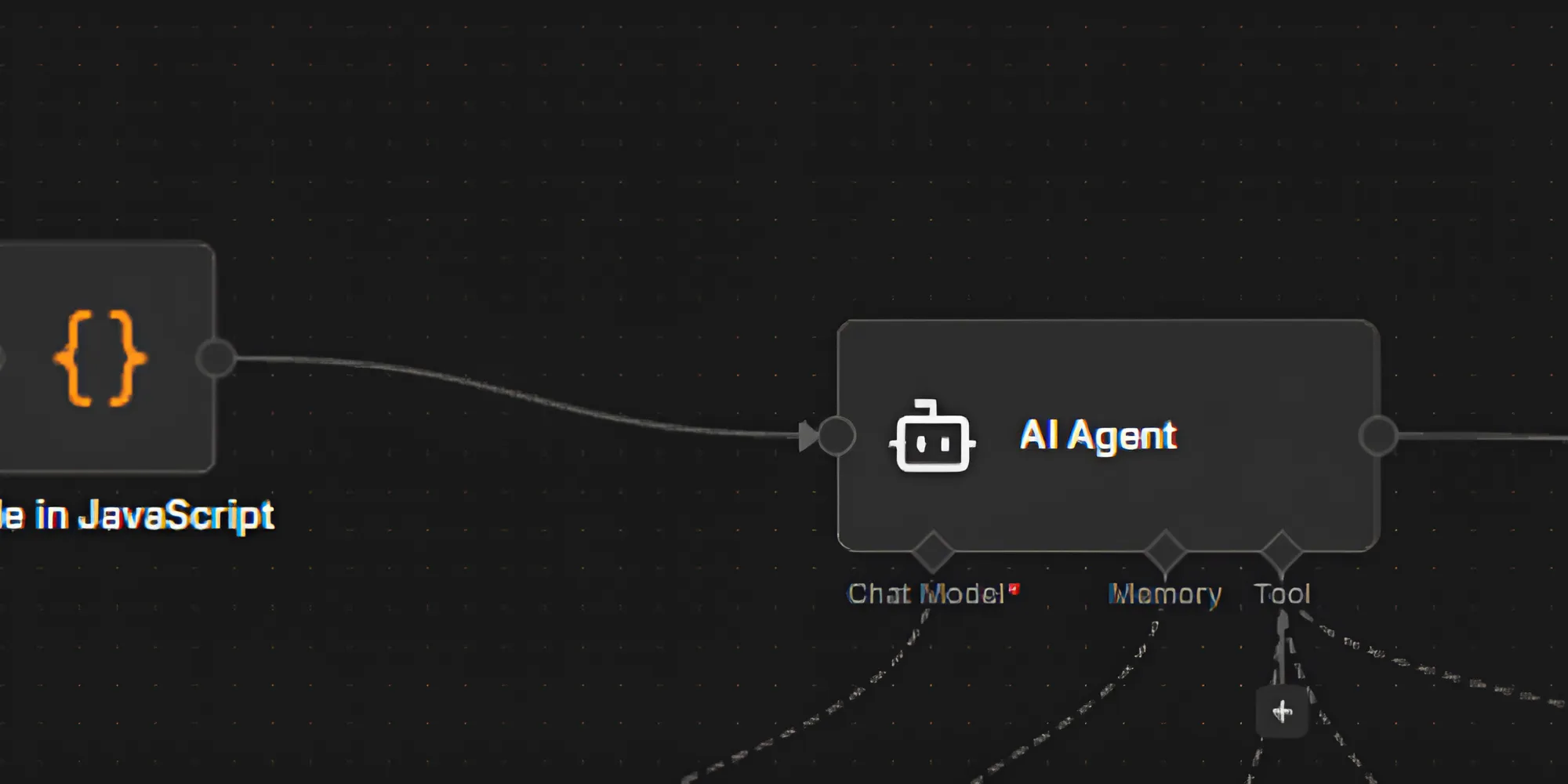
Step 3: AI Agent – Central Reasoning Layer
The AI Agent is the brain of the AI WhatsApp Assistant. Unlike basic LLM calls, this agent can:
- Understand user intent
- Maintain conversational memory
- Dynamically invoke tools
Consequently, the assistant behaves intelligently instead of following rigid rules.
Step 4: OpenAI Chat Model
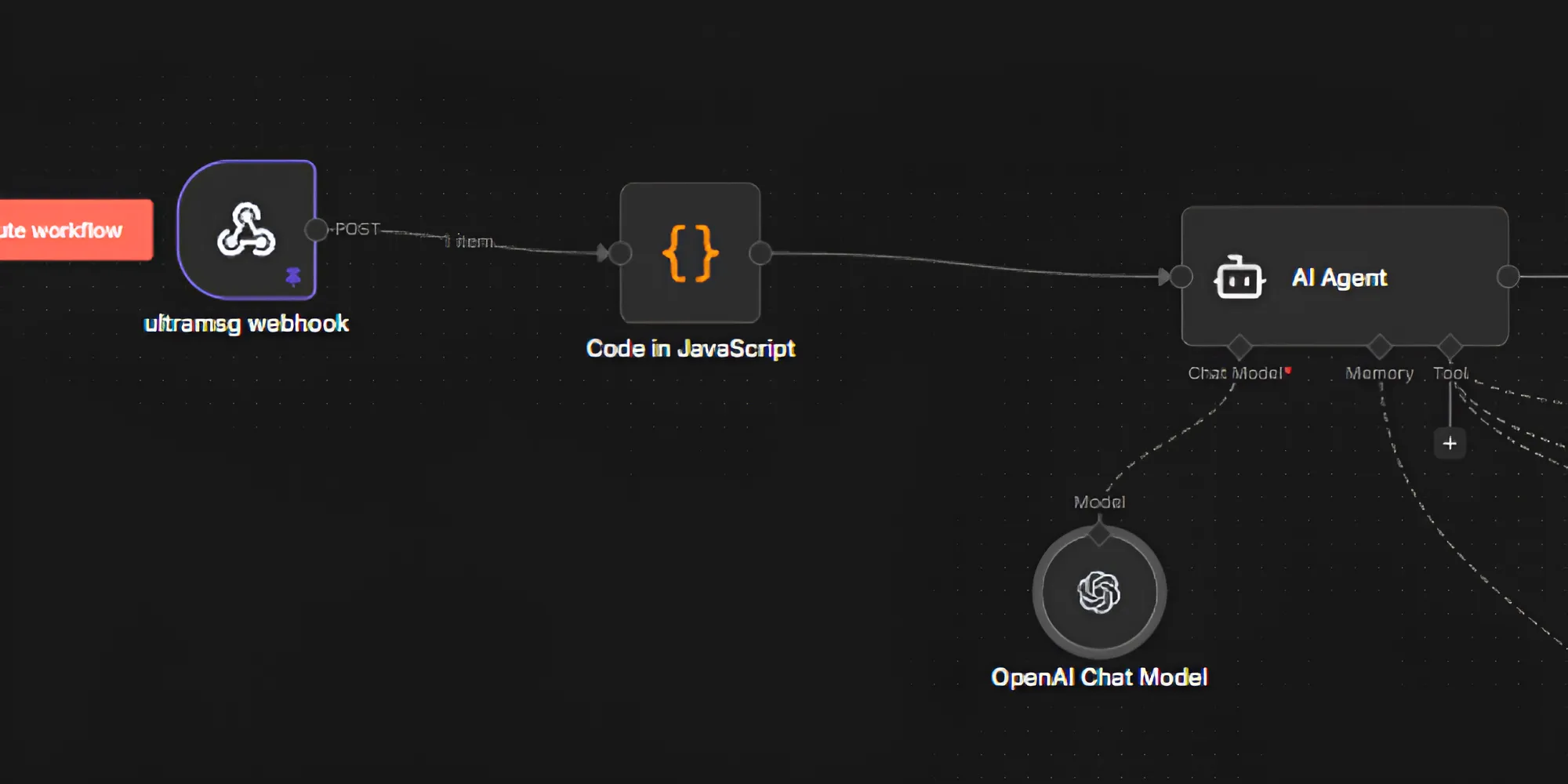
The OpenAI Chat Model provides natural language understanding and response generation.
Within the AI WhatsApp Assistant, the model:
- Interprets user messages
- Reasons about intent
- Generates contextual responses
Importantly, the model is not hard-coded to specific actions. Instead, it supports flexible, dynamic decision-making.
Step 5: Simple Memory – Conversational Context
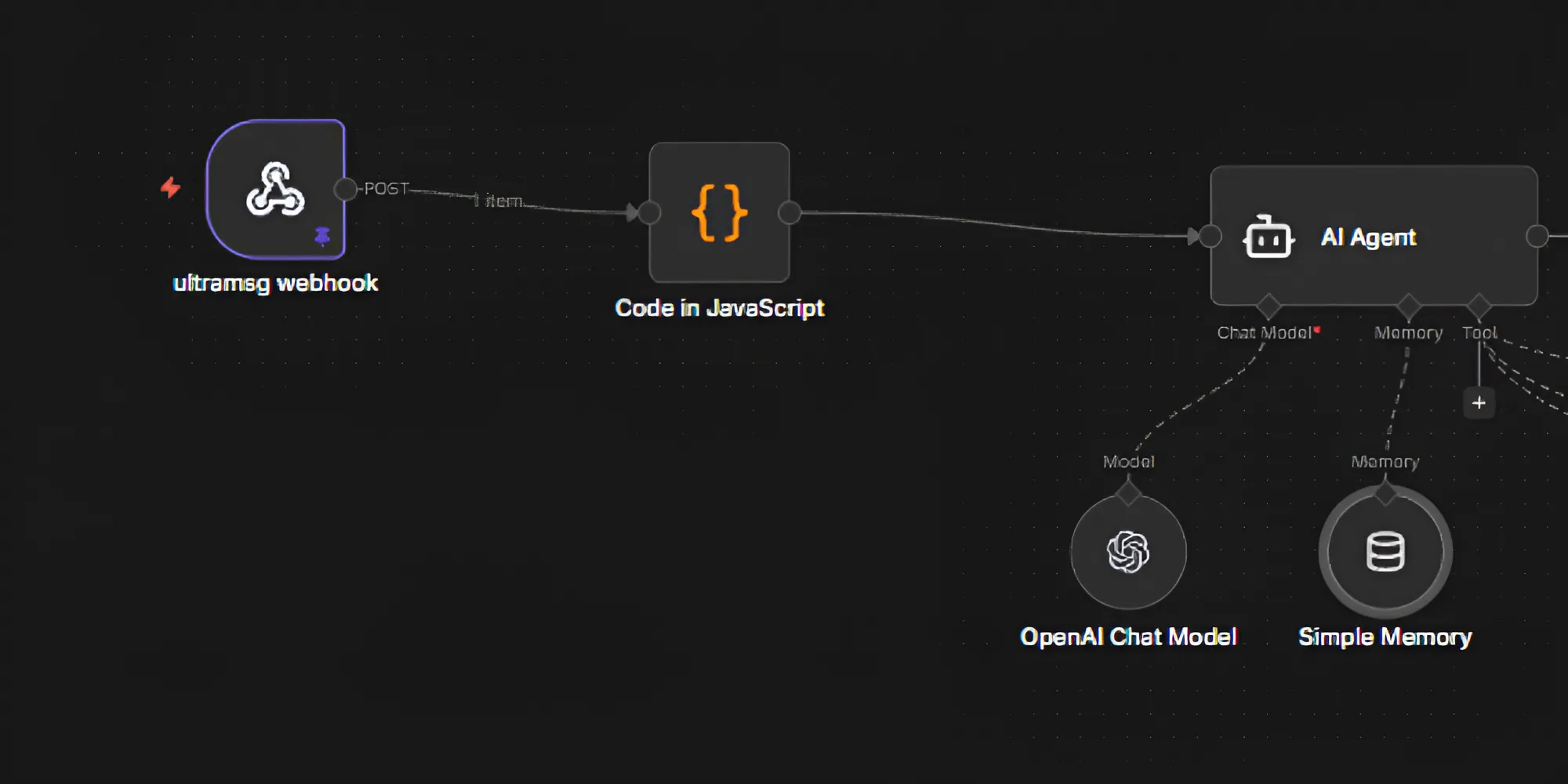
WhatsApp itself is stateless. However, conversational continuity is critical.
The Simple Memory node enables the AI WhatsApp Assistant to:
- Handle follow-up questions
- Support multi-step booking flows
- Deliver context-aware responses
As a result, conversations feel natural and human-like.
Step 6: Calendar Tool – Availability Checks
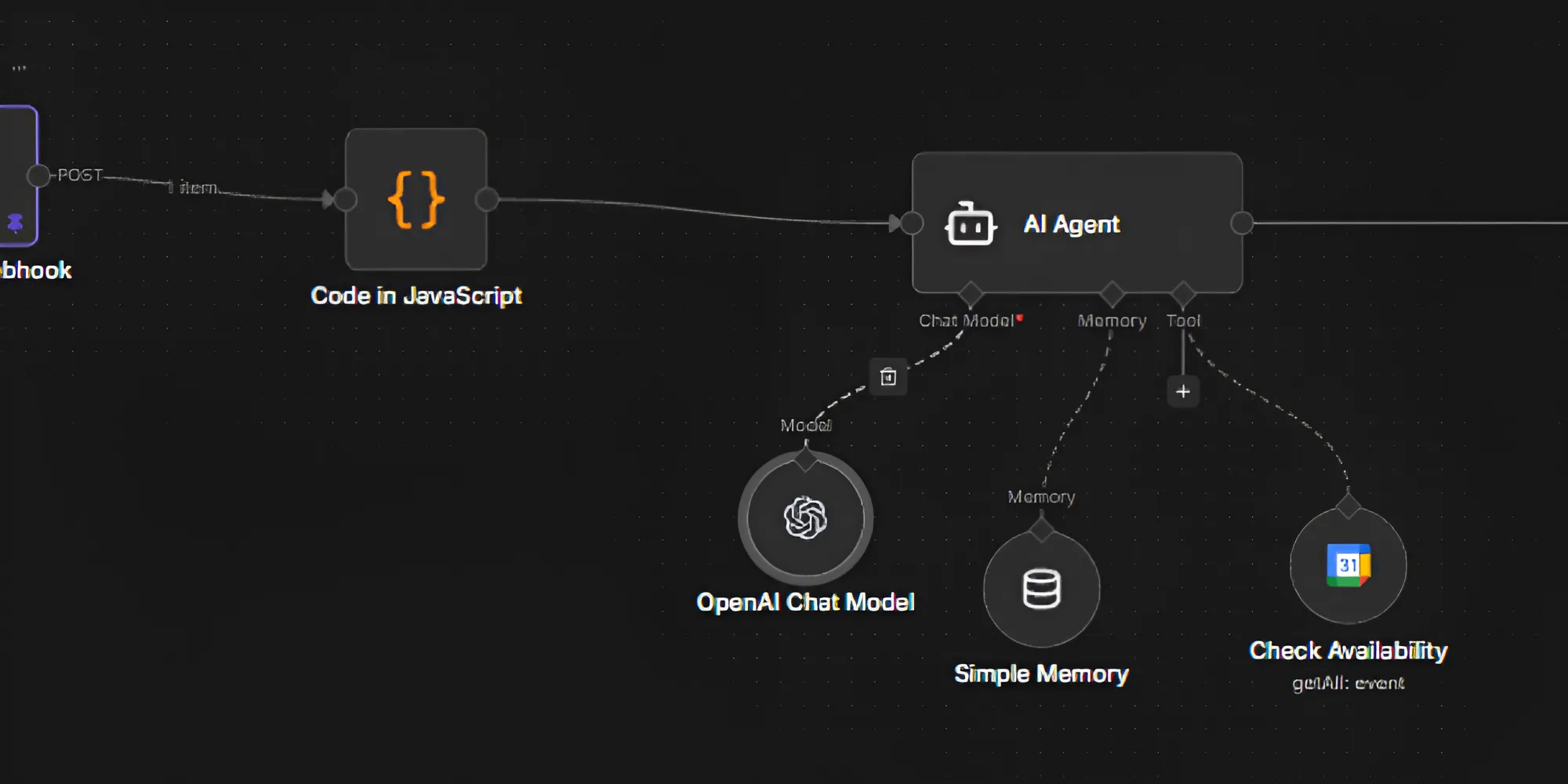
This step demonstrates AI tool calling in action.
When the AI WhatsApp Assistant detects scheduling intent, it invokes the Calendar tool. The tool:
- Fetches available time slots
- Returns structured availability data
- Feeds results back to the AI Agent
This allows real-time appointment handling without manual intervention.
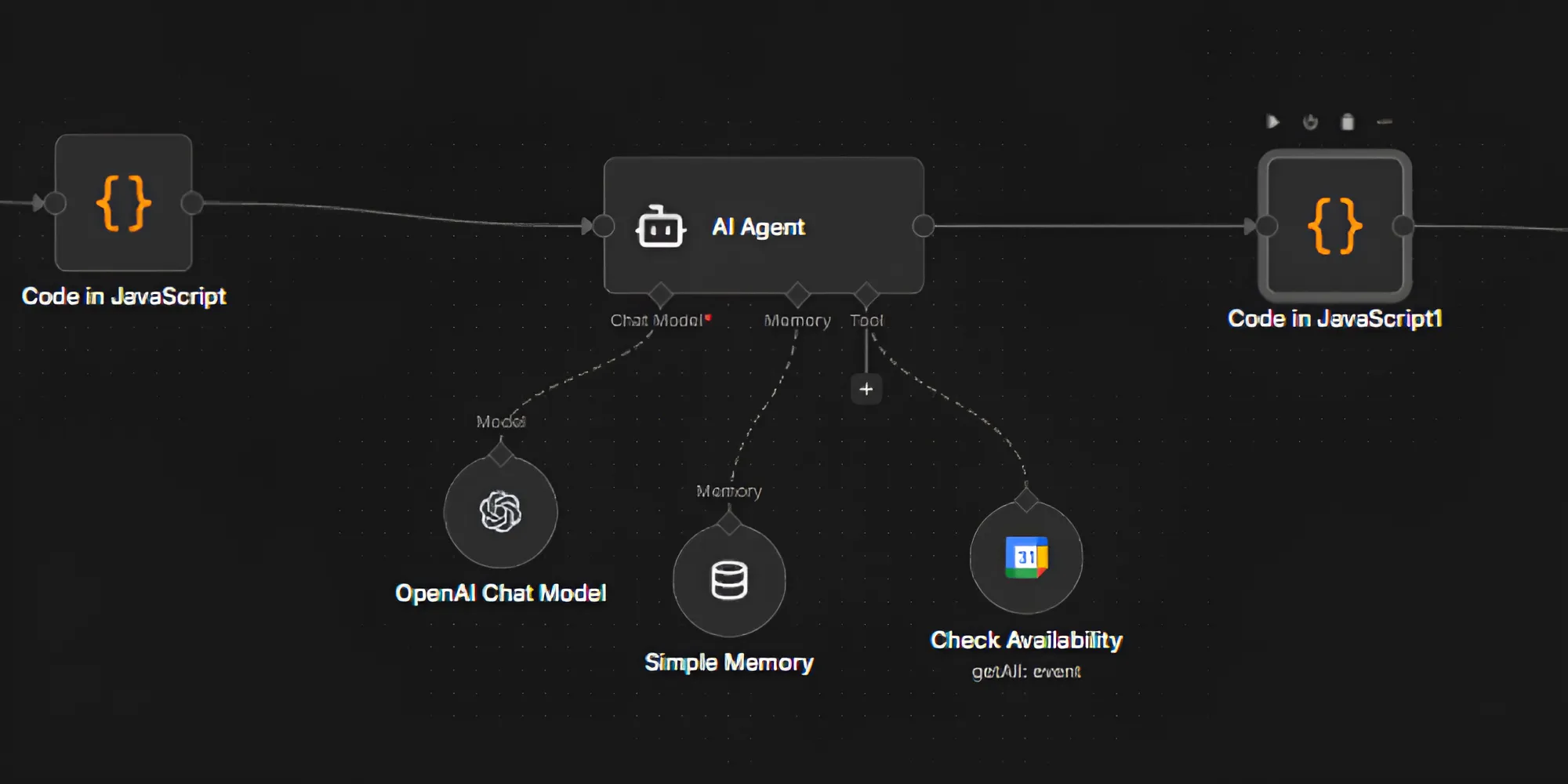
Step 7: JavaScript Node – Response Formatting
Before sending a reply, the AI output must match UltraMsg’s API structure.
This JavaScript node:
- Extracts the final AI response
- Builds the WhatsApp message payload
- Handles errors and fallback logic
Thus, message delivery remains reliable and consistent.
Step 8: HTTP Request – Sending the WhatsApp Message
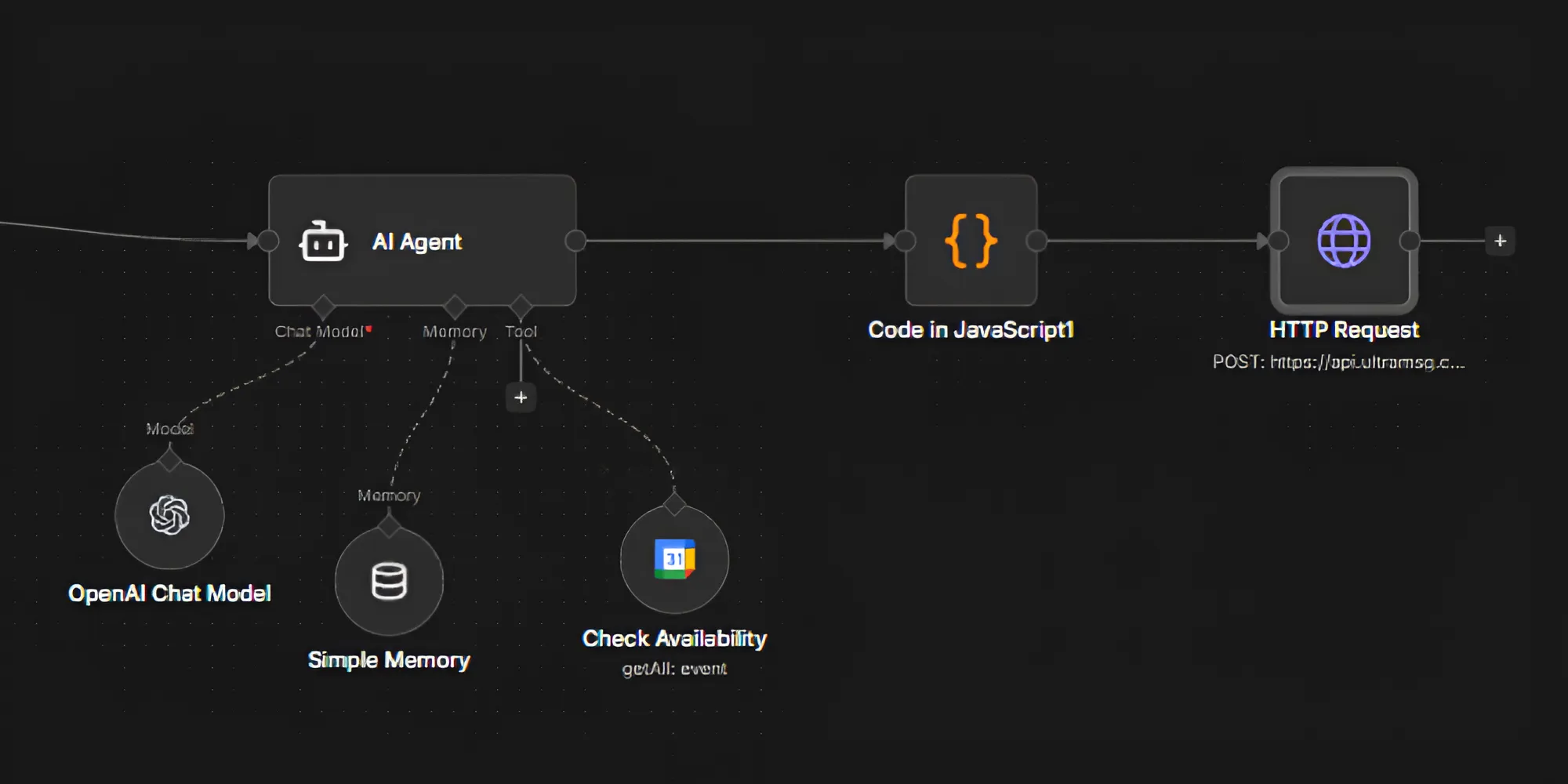
Finally, the HTTP Request node sends the response back to WhatsApp using UltraMsg’s API.
It includes:
- Authentication token
- Recipient phone number
- Message body
At this point, the AI WhatsApp Assistant completes the interaction cycle.
End-to-End Testing
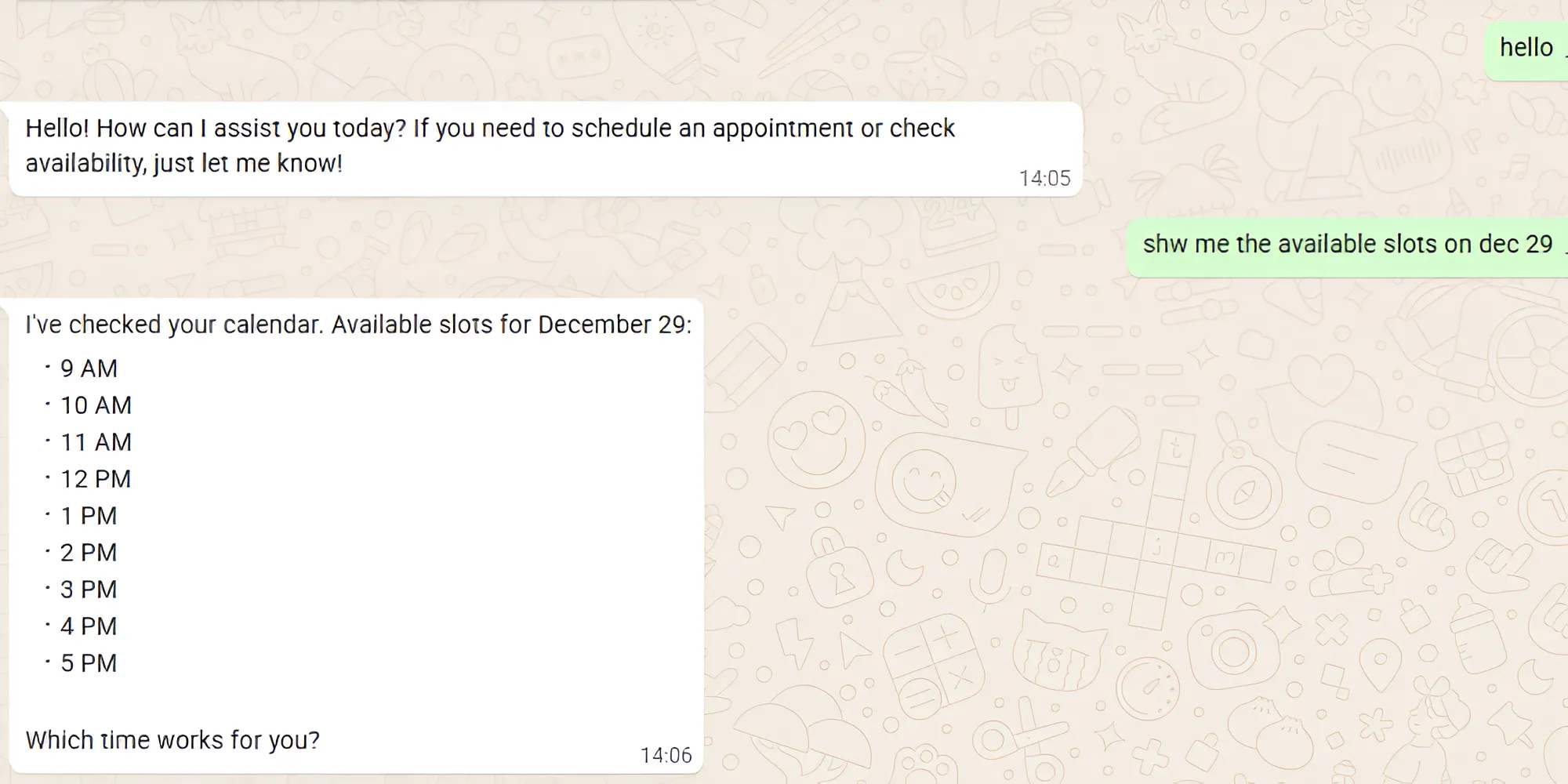
Once all nodes are connected:
- Send a test WhatsApp message
- Observe execution inside n8n
- Verify AI reasoning and memory
- Confirm successful reply delivery
Execution history in n8n helps validate workflow reliability.
Why Is This AI WhatsApp Assistant Production-Ready?
This AI WhatsApp Assistant is designed for real deployments because it offers:
- Clear separation of concerns
- Provider-agnostic architecture
- AI-driven logic instead of static flows
- Easy extensibility with CRMs and databases
As a result, teams can scale without re-architecting.
Final Thoughts
This workflow proves that WhatsApp can become an intelligent interface rather than a simple messaging channel.
By combining n8n orchestration with AI reasoning, memory and real tools, the AI WhatsApp Assistant evolves from basic automation into a powerful conversational system.
This foundation easily extends into booking platforms, AI customer support and multi-tenant SaaS solutions.
👉 The best time to start was yesterday. The second-best time is today-with Logassa Inc and our advanced AI solutions.
Know more about our works with our Blogs. Happy Reading!