
Blogs

AI agents streamlining Permit to Work and Job Safety Analysis workflows

Smart Permits: Agents for Work Permit

Smart Permits: How AI Agents for Work Permit Streamline & Analyse Job Safety ⏱ 9 min read | 🤖 Agentic AI | 🎯 For Decision Makers The Challenge: Safety Systems Struggling to Keep Pace Agents for Work Permit (PTW) and Job Safety Analysis (JSA) are now a foundational safety control. However, modern industrial operations now involve more contractors, more simultaneous activities and tighter execution windows than traditional permit workflows were designed to handle. High-stakes environments In industries such as oil & gas, chemicals, power and manufacturing, a small planning gap can escalate into a serious incident. Therefore, agents for work permit systems must ensure traceability, consistency and accountability at every step. SIMOPS complexity Simultaneous Operations (SIMOPS) introduce overlapping risks across units, locations and scopes for agents for work Permit. Manually identifying spatial and temporal conflicts across dozens of permits quickly becomes a cognitive overload. Workforce pressure Night shifts, contractor turnover and schedule pressure increase the likelihood of rushed permits and inconsistent JSAs-even among experienced supervisors. Why Traditional PTW & JSA Processes Fall Short: Agents for Work Permit Most safety failures are not caused by negligence. Instead, they stem from human limits, fragmented systems and workflows that do not scale with operational reality. Operational friction Permit cycles often become slow, form-heavy and repetitive. Under pressure, teams may unintentionally trade depth of hazard analysis for speed. Inconsistent hazard identification Two supervisors performing identical work on these agents for work permit produce very different JSAs. Meanwhile, copy-paste templates frequently miss site-specific hazards. Conflict checking doesn’t scale Manually validating conflicts across multiple permits, locations and time windows is extremely difficult to do reliably and quickly. Weak learning loops Near-misses and incident learnings often remain locked in PDFs or databases, rarely feeding back into everyday permit quality. Where AI Fits-and Where It Does Not AI agents for work permit in PTW and JSA systems should reduce friction and improve consistency, while keeping authority, accountability and approvals firmly human. What an AI agent can do? ✅ – Draft PTWs and JSAs from plain-language job descriptions – Retrieve relevant SOPs, standards and learnings using RAG – Flag missing fields, prerequisites and overlooked hazards – Detect SIMOPS conflicts and escalation conditions – Route approvals and maintain a complete audit trail What an AI agent must never do? ❌ – Autonomously approve permits or bypass sign-offs – Act as a black box without sources or traceability – Recommend controls without citing approved procedures – Trigger equipment actions without explicit human governance In short: AI assists; humans decide. How a PTW/JSA AI Agents for Work Permit is Executed in the Real World Serious deployments follow a predictable, auditable architecture: retrieve approved knowledge, validate prerequisites and route approvals-with every step logged. Draft The worker describes the task in natural language. The agent extracts key entities such as equipment, location and work type, then pre-fills PTW and JSA drafts using site-approved templates for our agents for work Permit. Retrieve & Cite Using Retrieval-Augmented Generation (RAG), the agent pulls relevant SOPs, isolation procedures and historical learnings that match the exact context. Every recommendation is source-backed. Validate & Route The agent checks prerequisites through integrated systems such as training records, gas test logs and CMMS. It then routes the permit through defined approval workflows while maintaining a full audit trail. What Makes This “Agentic”-Not Just a Chatbot This is not conversational automation. It is orchestration. The agent executes a multi-step workflow across systems: Draft → Retrieve → Validate → Conflict-check → Route → Log Each step is deliberate, traceable and governed. Typical integrations – PTW systems for permit authoring and approvals – CMMS platforms (SAP, IBM Maximo) for asset and work order context – Training and competency systems for authorization checks – Gas testing and fire-watch logs – Document management systems for SOPs and standards Implementation Roadmap: From Trust to Scale – Agents for Work Permit Successful rollouts prioritize trust and auditability first, then expand capability. 1) Assess (2–4 weeks) Map current PTW/JSA workflows, identify bottlenecks and inventory data sources and integrations. 2) Pilot (8–12 weeks) Start with one site or permit type. Run the agent in shadow mode before enabling assistive drafting. Measure: – Cycle time – Rework frequency – Hazard completeness – User adoption 3) Govern Enforce role-based access, citations, approval gates and audit logs. If the agent cannot find an approved source, it does not answer. 4) Scale Expand facility by facility using a risk-based approach. Add advanced validation and conflict detection as confidence grows. Limitations to Acknowledge: Agents for Work Permit Credible safety systems earn trust by being explicit about limitations. Data quality is critical Outdated SOPs or incomplete incident data will degrade outputs. Strong governance is essential. Over-trust is a risk Interfaces must encourage review and verification-never blind acceptance. Integration takes planning Legacy systems vary widely. Start small, then scale deliberately. Final Thought: Agents for Work Permit PTW and JSA AI agents for work permit are not about automating safety decisions. They are about supporting the people who make them-improving consistency, reducing friction and making safety planning easier to audit at scale. When designed correctly, AI does not weaken safety culture. It reinforces it. 👉 The best time to start was yesterday. The second-best time is today-with Logassa Inc and our advanced AI solutions. Know more about our works with our Blogs. Happy Reading! 🖇️ Sources Referred: Agents for Work Permit – OSHA JSA Guide ↗ – API RP 54 (PDF) ↗ – CCPS Safe Agents for Work Permit Practices ↗ – CCPS Agents for Work Permit Guidance ↗ – OSHA Permit-Required Confined Spaces ↗ – OSHA Permit Process(1926) ↗ – Shell ePTW Case ↗ – SPE Paper: Smart e-PTW ↗ – SPE JPT: e-PTW Guide ↗ – CCPS SWP ↗

Smart Permits: Agents for Work Permit Read More »

AI WhatsApp assistant workflow using n8n and OpenAI

AI WhatsApp Assistant Using n8n

Building an AI WhatsApp Assistant: Using n8n, UltraMsg and OpenAI ⏱ 10 min read | 🤖 AI Automation | 🎯 For Builders & Decision Makers Introduction to an AI WhatsApp Assistant WhatsApp automation becomes significantly more powerful when it moves beyond static auto-replies. Today, an AI WhatsApp Assistant can understand user intent, remember conversation context and interact with real systems such as calendars, databases and CRMs. As businesses scale customer engagement, WhatsApp is emerging as a preferred interface. Therefore, combining orchestration tools with AI reasoning is now essential. In this guide, we build a production-ready AI WhatsApp Assistant using n8n, integrated with intelligent messaging, memory and scheduling capabilities. Specifically, this workflow connects: – UltraMsg for WhatsApp messaging – OpenAI for natural language understanding – Conversational memory for context – Google Calendar for availability checks As a result, this design supports appointment booking, AI customer support and SaaS-style WhatsApp automation platforms. What Does This AI WhatsApp Assistant Workflow Do? At a high level, this AI WhatsApp Assistant performs the following steps: – Receives incoming WhatsApp messages via UltraMsg – Normalizes and prepares the message payload – Passes the message to an AI Agent – Allows the AI to reason, remember and invoke tools – Formats the final response – Sends the reply back to WhatsApp Importantly, this is not a chatbot flowchart. Instead, it is an event-driven AI workflow designed for real-world automation. High-Level Architecture of the AI WhatsApp Assistant The architecture of this AI WhatsApp Assistant follows a clean, modular design: WhatsApp User ↓ UltraMsg Webhook ↓ n8n Webhook Trigger ↓ Message Normalization (JavaScript) ↓ AI Agent • OpenAI Chat Model • Simple Memory • Calendar Tool ↓ Response Formatter (JavaScript) ↓ UltraMsg Send Message API ↓ WhatsApp User This structure ensures clarity, scalability and production readiness. Step 0: UltraMsg Configuration UltraMsg acts as the WhatsApp provider for this AI WhatsApp Assistant. It enables message delivery and webhook triggering. Configuration steps: – Sign up using an email address – Create a new UltraMsg instance – Link the WhatsApp number to your device – Save the following details for later use:           – API URL           – Instance ID           – Authentication token After the trial period, pricing plans are available to continue services. Step 1: UltraMsg Webhook – WhatsApp Entry Point The UltraMsg webhook serves as the entry point for every message sent to the AI WhatsApp Assistant. This node receives inbound WhatsApp events, including: – Sender phone number – Message content – Message metadata For production use, the webhook URL from this node must be configured inside UltraMsg. Step 2: JavaScript Node – Message Normalization Incoming webhook payloads are often deeply nested and provider-specific. Therefore, normalization is essential. This JavaScript node extracts: – Sender phone number – Message text – Only relevant metadata As a result, prompts remain clean, debugging becomes easier and future scaling is simplified for the AI WhatsApp Assistant. Step 3: AI Agent – Central Reasoning Layer The AI Agent is the brain of the AI WhatsApp Assistant. Unlike basic LLM calls, this agent can: – Understand user intent – Maintain conversational memory – Dynamically invoke tools Consequently, the assistant behaves intelligently instead of following rigid rules. Step 4: OpenAI Chat Model The OpenAI Chat Model provides natural language understanding and response generation. Within the AI WhatsApp Assistant, the model: – Interprets user messages – Reasons about intent – Generates contextual responses Importantly, the model is not hard-coded to specific actions. Instead, it supports flexible, dynamic decision-making. Step 5: Simple Memory – Conversational Context WhatsApp itself is stateless. However, conversational continuity is critical. The Simple Memory node enables the AI WhatsApp Assistant to: – Handle follow-up questions – Support multi-step booking flows – Deliver context-aware responses As a result, conversations feel natural and human-like. Step 6: Calendar Tool – Availability Checks This step demonstrates AI tool calling in action. When the AI WhatsApp Assistant detects scheduling intent, it invokes the Calendar tool. The tool: – Fetches available time slots – Returns structured availability data – Feeds results back to the AI Agent This allows real-time appointment handling without manual intervention. Step 7: JavaScript Node – Response Formatting Before sending a reply, the AI output must match UltraMsg’s API structure. This JavaScript node: – Extracts the final AI response – Builds the WhatsApp message payload – Handles errors and fallback logic Thus, message delivery remains reliable and consistent. Step 8: HTTP Request – Sending the WhatsApp Message Finally, the HTTP Request node sends the response back to WhatsApp using UltraMsg’s API. It includes: – Authentication token – Recipient phone number – Message body At this point, the AI WhatsApp Assistant completes the interaction cycle. End-to-End Testing Once all nodes are connected: – Send a test WhatsApp message – Observe execution inside n8n – Verify AI reasoning and memory – Confirm successful reply delivery Execution history in n8n helps validate workflow reliability. Why Is This AI WhatsApp Assistant Production-Ready? This AI WhatsApp Assistant is designed for real deployments because it offers: – Clear separation of concerns – Provider-agnostic architecture – AI-driven logic instead of static flows – Easy extensibility with CRMs and databases As a result, teams can scale without re-architecting. Final Thoughts This workflow proves that WhatsApp can become an intelligent interface rather than a simple messaging channel. By combining n8n orchestration with AI reasoning, memory and real tools, the AI WhatsApp Assistant evolves from basic automation into a powerful conversational system. This foundation easily extends into booking platforms, AI customer support and multi-tenant SaaS solutions.   👉 The best time to start was yesterday. The second-best time is today-with Logassa Inc and our advanced AI solutions. Know more about our works with our Blogs. Happy Reading!

AI WhatsApp Assistant Using n8n Read More »

AI agents for workplace safety in modern industrial operations

AI Agents for Workplace Safety Guide

AI Agents for Workplace Safety: The Next Evolution ⏱ 12 min read | 🤖 AI & Automation | 🎯 For Decision Makers Introduction to AI Agents for Workplace Safety AI agents for workplace safety is undergoing a rapid transformation. Over the years, organizations moved from paper-based permits to digital safety platforms. Now, AI agents for workplace safety are driving the next major shift. Today, intelligent AI agents can draft permits, validate Job Safety Analyses (JSAs), suggest hazard controls, and cross-check safety steps in real time. However, humans remain firmly in control. AI agents support decision-making instead of replacing it. As a result, industries such as oil & gas, construction, manufacturing, utilities, and maritime operations are already seeing measurable gains. Moreover, organizations using AI agents for workplace safety report faster approvals, fewer errors, and stronger compliance outcomes. The Three Eras of Safety Management To understand why AI agents for workplace safety matter today, it helps to review how safety systems evolved. PAST Paper-Based Safety PRESENT Digital Platforms FUTURE AI Agents & Predictive Systems 2000s 2020s 2030s Era 1: Paper-Based Safety Systems Initially, workplace safety relied entirely on manual processes. Consequently, organizations struggled with inefficiency and risk. – Handwritten permits and approvals – Slow workflows and frequent document loss – Limited visibility into active risks As a result, safety teams spent more time managing paperwork than managing hazards. Era 2: Digital Safety Platforms Next, digital systems replaced paper forms. While this improved efficiency, intelligence was still limited. – Electronic permits and cloud storage – Automated routing and dashboards – Faster approvals, but manual risk analysis Although helpful, these platforms still depended heavily on human input. Era 3: AI Agents for Workplace Safety Today, AI agents for workplace safety introduce intelligence into every step of safety planning. – AI drafts PTWs and JSAs – AI suggests hazard controls – AI validates completeness and predicts risk – Humans approve all decisions As a result, safety workflows become faster, more consistent and easier to audit. 🔑 Key Insight: AI Agents Support-They Don’t Replace Humans A common misconception is that AI agents for workplace safety automate decisions. In reality, they function as expert assistants. AI agents can: – Draft permits using SOPs and historical data – Suggest controls from approved knowledge bases – Flag gaps, conflicts and inconsistencies However, human supervisors always make the final call. Think of AI agents as 24/7 safety advisors that strengthen human judgment. Why AI Agents for Workplace Safety Are Emerging Now? This shift is happening because three critical technologies have converged. – Large Language Models (LLMs): LLMs understand safety procedures, regulations and incident reports written in natural language. Therefore, they can interpret real-world work descriptions accurately.   – Retrieval-Augmented Generation (RAG): RAG ensures AI agents use only approved internal documents such as SOPs, JSAs and safety manuals. As a result, outputs remain compliant and trustworthy.   – Platform Integration: Modern APIs now connect PTW systems with: – ERP platforms – Incident databases – IoT sensors – Training and certification records Together, these technologies power reliable AI agents for workplace safety. What AI Agents for Workplace Safety Do Today? 1. Intelligent Permit Drafting Instead of starting from blank forms, workers describe tasks in plain language. “Hot work on pipeline valve V-237 in Unit 4, Tuesday 0800-1200.” The AI agent then: – Selects the correct permit template – Pre-fills location, equipment and timing – Suggests PPE based on task type – Pulls relevant JSAs – Identifies required approvers 🌎 Real-World Impact: One oil & gas operator reduced permit creation time from 45 minutes to 15 minutes. Meanwhile, permit completeness increased from 73% to 96%. 2. Hazard Prediction and Control Suggestions AI agents analyze historical incidents and near-misses. Consequently, they can: – Detect recurring risk patterns – Recommend controls from approved SOPs – Assign dynamic risk scores This enables proactive hazard mitigation instead of reactive responses. 3. Cross-System Safety Validation AI agents for workplace safety can validate data across systems within seconds. They automatically check: – Worker training certifications – Equipment lockout and isolation status – Weather alerts – Concurrent work conflicts 🎯 Human-AI Partnership: AI highlights risks, while humans decide how to proceed. 4. Natural Language Safety Queries Safety teams can ask questions such as: – “Show all hot work permits from Unit 3 last month.” – “What are the most common confined space hazards this year?” – “What PPE is required for working at height?” The AI responds using approved internal documents with clear source references. 5. Continuous Learning From Incidents When incidents occur, AI agents for workplace safety: – Analyze root-cause reports – Update hazard libraries – Suggest JSA improvements – Flag similar upcoming work Over time, safety quality continuously improves. 📈 Measurable Outcomes of AI Agents for Workplace Safety: Organizations using AI agents report: – 3× faster permit creation – 85% fewer incomplete permits – 67% improvement in hazard identification – 40% reduction in work delays – Near-zero audit non-compliance The Business Case for AI Agents for Workplace Safety Time has changed 30 minutes saved × 50 permits per week = 125 hours recovered per month Quality Improvement Every permit consistently follows approved templates and SOPs. Risk Reduction Improved hazard identification reduces preventable incidents. Compliance Confidence Audit-ready documentation is maintained automatically. Beyond Cost Savings: Strategic Value AI agents for workplace safety also deliver long-term advantages: – Preserve expert knowledge – Ensure consistency across sites – Accelerate employee onboarding – Reveal systemic safety gaps – Strengthen competitive positioning 🚀 Early Adopter Advantage: Organizations adopting AI agents in 2025 gain durable advantages as their systems learn faster and improve continuously. The Future of AI Agents for Workplace Safety (2025-2035) Near-Term Capabilities – Voice-activated permit creation – Computer vision hazard detection – IoT-driven permit updates – Multi-language safety workflows Unified Safety Ecosystems Future platforms will unify: – PTW and JSA systems – Incident management – Training programs – Contractor onboarding – Regulatory reporting The Human Element Remains Central Even in the future: – Humans approve permits – Workers stop unsafe jobs

AI Agents for Workplace Safety Guide Read More »
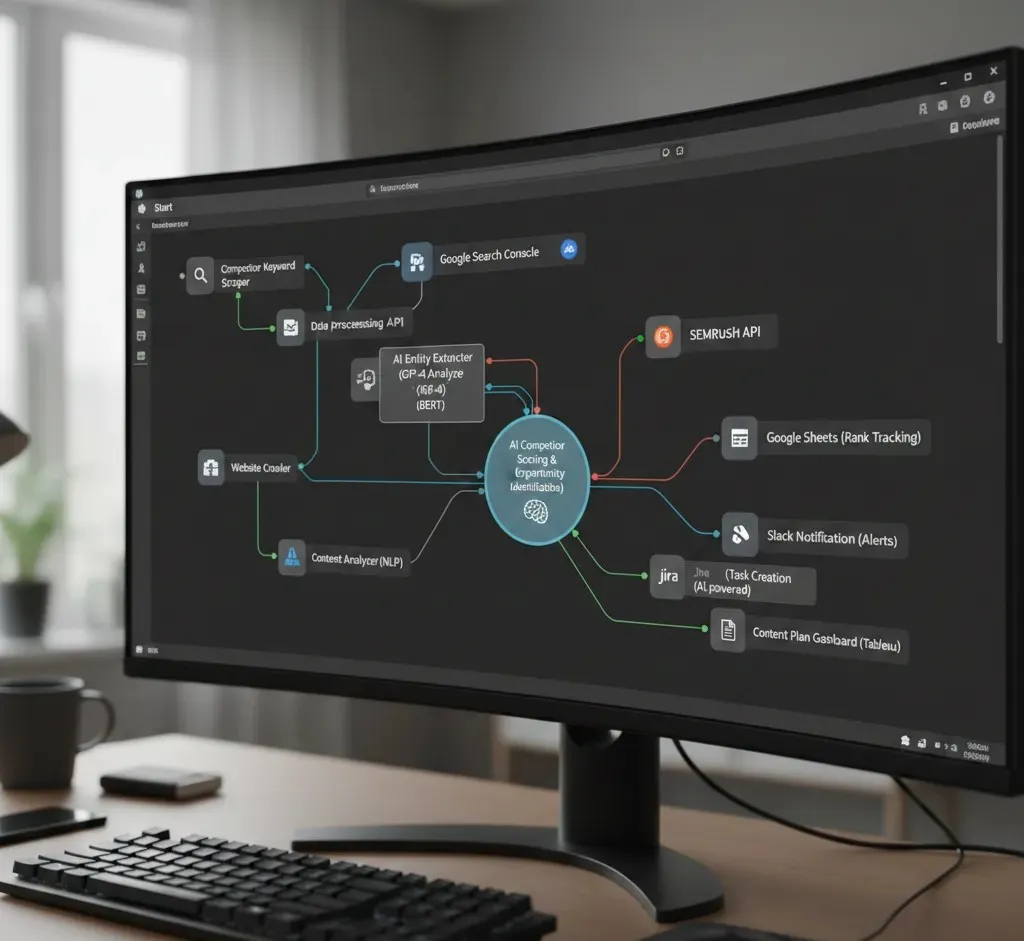
AI-driven SEO automation workflow using n8n for competitor analysis

AI-Driven SEO Automation for Research

AI-Driven SEO Research Automation: Building an Intelligent n8n Flow for Research ⏱ 10–12 min read | 🤖 AI Automation | 📊 SEO Intelligence Introduction: The Shift from Manual to AI-driven SEO automation Modern businesses are rapidly moving away from manual keyword research and time-intensive competitor audits and so is the need for AI-driven SEO automation. Traditional SEO workflows-spread across spreadsheets, browser tabs and disconnected tools-are no longer fast or scalable enough to compete in real-time search environments. As a result, AI-driven SEO automation is becoming the new standard. By combining live SERP intelligence, large language models (LLMs) and workflow orchestration organizations can uncover competitive opportunities faster and with far greater accuracy. In this article, we break down how Logassa’s AI-driven SEO automation system, built on n8n, delivers real-time competitor intelligence-starting with nothing more than a single domain input. System Overview: AI-Driven SEO Automation Intelligence Engine The Automated SEO Competitor Analysis System is a multi-agent, AI-orchestrated workflow designed to eliminate manual SEO groundwork through intelligent automation and live data processing. Instead of relying on static keyword tools or manual audits, the system operates as an autonomous SEO research engine, dynamically performing the following core functions: – Generates high-intent, niche-specific keywords aligned with a website’s services and real search demand – Identifies true organic SEO competitors using live SERP data while filtering out news, directories and informational sources – Automatically logs validated keywords and competitor insights into a structured Google Sheets database for immediate access by marketing and growth teams Consequently, SEO research cycles shrink from hours to minutes-without sacrificing accuracy or relevance. Core Architecture and Workflow Design: AI-driven SEO automation Workflow Initiation The workflow is triggered through an external webhook, allowing seamless integration with CRMs, lead capture forms, internal dashboards or other automation platforms. To initiate analysis, users provide only two inputs: – Target domain domain(for example, example.com) – Target country, which is automatically translated into a localized Google search parameter This ensures that all SERP analysis reflects geographic search intent, not generic global results. AI Agents and Intelligent Tooling At the heart of the system is a carefully orchestrated combination of LLMs and live search data, coordinated through n8n workflow nodes. Key Components – LLM Agents (GPT-4.1-mini / GPT-4o-mini) Perform advanced reasoning, contextual analysis and decision-making to determine optimal keyword and competitor discovery strategies – SerpAPI Integration Retrieves real-time, location-specific SERP data to validate keywords and identify true organic competitors – Memory Nodes Maintain session context, prevent redundant queries and ensure analytical consistency across workflow executions Together, these components form a scalable, AI-driven SEO automation framework that replaces manual research with continuously validated intelligence. Keyword Generation and Validation Pipeline for AI-driven SEO automation Step 1: Domain Context Analysis The workflow begins with a SERP Scraper Agent (MCP) that performs exploratory searches related to the target domain. This step establishes contextual understanding of: – Industry focus – Service offerings – Market positioning This contextual grounding is critical for accurate, intent-driven keyword discovery. Step 2: Intelligent Keyword Discovery Using LLM reasoning, the system generates high-intent, service-aligned keywords that reflect real search behavior rather than generic suggestions. For example, a digital marketing agency domain may surface keywords such as: – SEO automation services – Google Ads optimization – Content marketing workflows Each keyword is generated with commercial relevance in mind-not just volume. Step 3: Keyword Validation and Optimization All generated keywords are validated against live SERP data via SerpAPI to confirm relevance and competitiveness. A dedicated processing node then: – Removes duplicate or explanatory text – Normalizes keyword formatting – Converts output into a clean, numbered structure – Reattaches the source domain for consistent tracking The finalized dataset is automatically stored in the “Keywords” tab of a centralized Google Sheets repository, making it instantly usable for SEO planning and campaign execution. Competitor Identification and Data Logging: AI-driven SEO automation Step 1: SERP-Based Competitor Discovery For each validated keyword, the system performs a real-time SERP scan to identify approximately 10 top-ranking organic competitors. To maintain relevance: – News websites – Blogs – Informational portals – Non-commercial domains are automatically filtered out, leaving only actionable business competitors. Step 2: Structured Data Extraction Each competitor entry is normalized using structured output parsers and includes: – Organic ranking position – Page title – URL – Meta description This ensures consistency, readability and immediate usability across SEO and marketing workflows. Step 3: Automated Data Logging All competitor data is automatically written to the “SEO Competitor Websites” tab within the centralized Google Sheets database. A final webhook response confirms successful execution, providing full visibility and traceability across automated SEO operations. OUTPUT SCREEN Why It Matters: Shift To AI-driven SEO automation Traditional SEO competitor audits often require multiple tools, hours of manual filtering and repeated validation. In contrast, Logassa’s AI-driven SEO automation workflow compresses this entire process into a fully autonomous pipeline. Key Advantages – Automation-First SEO – Eliminates repetitive research and manual competitor analysis – AI-Powered Accuracy – LLM agents understand semantic intent, not just keywords – Enterprise-Scale Ready – Ideal for agencies and organizations managing multiple domains or markets – Continuous Optimization – Easily scheduled or chained with other n8n or Zapier workflows As a result, teams move faster, make better decisions and focus on execution rather than research overhead. Conclusion: AI-driven SEO automation AI-powered SEO automation represents a fundamental shift in how organizations approach digital growth. By converting keyword research, SERP validation and competitor mapping into a fully autonomous workflow, businesses replace hours of manual effort with accurate, real-time search intelligence. Powered by LLM-driven reasoning, n8n workflow orchestration and live SERP data, Logassa’s Automated SEO Competitor Analysis System enables: – Faster optimization cycles – Smarter strategic decisions – Scalable, repeatable SEO operations This allows teams to focus less on research-and more on performance, execution and measurable growth. Partner With Logassa At Logassa LLC, we help businesses unlock the full potential of AI-driven automation for SEO, marketing intelligence and operational efficiency. From intelligent workflow design and custom LLM integrations to enterprise-grade n8n deployments, we transform manual research

AI-Driven SEO Automation for Research Read More »

n8n automation platform powering modern business workflows

n8n Automation Platform for Business

n8n Automation Platform: Powering Modern Business Automation ⏱ 11 min read | ⚙️ Workflow Automation | 🎯 For Business & Tech Leaders Introduction to the n8n Automation Platform n8n Automation Platform is a need as in today’s fast-moving digital economy, organizations face constant pressure to deliver more with fewer resources. As a result, manual workflows drain productivity, repetitive tasks slow teams down and scaling operations often means increasing headcount. This is where automation becomes essential. Among the growing ecosystem of workflow automation tools, the n8n automation platform has quickly emerged as a preferred solution for modern businesses. Unlike many proprietary tools with high licensing costs and rigid limits, n8n delivers open-source flexibility, cost efficiency and unlimited workflow creation. Therefore, startups, mid-sized companies and large enterprises alike are adopting the n8n automation platform to streamline operations, reduce costs and scale intelligently. What Is the n8n Automation Platform? The n8n automation platform (pronounced n-eight-n) is an open-source workflow automation tool designed to connect applications, APIs and services without complex coding.   Through an intuitive visual, drag-and-drop interface, teams can build workflows that: – Send emails automatically – Update CRM records – Sync data between systems – Monitor events and trigger actions   At its core, the n8n automation platform acts as a 24/7 digital engine. Consequently, background processes run reliably while teams focus on strategic, high-impact work instead of repetitive operational tasks. n8n Automation Platform vs Zapier and Make When comparing automation tools, flexibility and control matter. The n8n automation platform stands apart in several critical areas. Feature n8n (Self-Hosted) Zapier Make Pricing Model Free (self-hosted) / Optional cloud Paid tiers Paid tiers Customization Fully customizable Limited Moderate Open Source Yes No No Automation Limits Unlimited (self-hosted) Plan-based Plan-based Data Control Full ownership Zapier servers Make servers As a result, organizations that value data ownership and flexibility often choose the n8n automation platform. Common Automation Use Cases with the n8n Automation Platform The n8n automation platform supports a wide range of operational and marketing workflows, including: – Lead Management Automation-Capture leads from websites or ads and sync them instantly with your CRM – Social Media Monitoring-Track brand mentions and receive real-time alerts – SEO Performance Tracking-Monitor keyword rankings and update dashboards automatically – E-commerce Automation-Trigger alerts for new orders, inventory changes, or abandoned carts Consequently, teams respond faster, reduce manual effort and maintain operational consistency. How the n8n Automation Platform Delivers Business Value By automating repetitive processes, the n8n automation platform enables organizations to operate more efficiently and intelligently.   Key Business Benefits: – Time Savings-Eliminate manual data entry and repetitive reporting – Improved Customer Experience-Enable faster responses through automated workflows – Better Data Management-Centralize and synchronize data for analytics and decision-making Therefore, automation becomes a growth enabler rather than just a cost-saving tool. Why Businesses Choose the n8n Automation Platform Organizations across industries adopt the n8n automation platform for several compelling reasons: – Unlimited Automations-No per-task or execution limits when self-hosted – Cost Efficiency-Reduce reliance on expensive SaaS automation subscriptions – High Flexibility-Integrates with 400+ services and custom APIs – Enterprise Scalability-Supports startups, growing teams and large enterprises As a result, n8n scales alongside the business without limiting control or innovation. Getting Started with the n8n Automation Platform Step 1: Choose Your Deployment Model The n8n automation platform supports multiple deployment options: – Cloud Deployment-Sign up directly on the n8n cloud – Self-Hosted Deployment (Recommended)-Deploy using Docker, npm, or source code for full data ownership   Example Docker command: docker run -d –name n8n -p 5678:5678 -v ~/.n8n:/home/node/.n8n n8nio/n8n Once deployed, access the interface and complete the initial setup. Step 2: Create Your First Workflow After setup: – Navigate to the dashboard – Click Create Workflow – Add trigger, action and transformation nodes Thus, automation begins with simple building blocks. Step 3: Build an AI-Powered Automation (Example) A basic AI-driven workflow on the n8n automation platform may include: – Trigger Node: Activates on incoming messages – AI Agent Node: Acts as the reasoning layer – Google Gemini Chat Model: Generates responses – Memory Node: Maintains context – Calculator Tool: Handles numeric queries – SerpAPI Tool: Fetches real-time search data As a result, workflows move beyond rules into intelligent automation. Step 4: Configure Integrations Next, configure required APIs: – Google Gemini: Set API keys, temperature and token limits – SerpAPI: Define queries and output formats This ensures reliable and scalable automation. Step 5: Test and Deploy Before production: – Execute workflows to validate logic – Monitor logs and execution history – Refine and deploy Therefore, reliability and performance remain consistent. Community, Resources and Best Practices Community Support The n8n automation platform benefits from a strong global community: – Discord, GitHub and official forums – Shared workflows and real-world use cases Learning Resources – Step-by-step tutorials on the n8n blog – Video walkthroughs on YouTube – Official documentation at docs.n8n.io Best Practices for Scalable Automation – Use expressions for dynamic data handling – Monitor execution logs regularly – Scale using worker queues – Start with pre-built templates Conclusion The n8n automation platform is more than a workflow tool—it is a strategic enabler for modern business growth. By combining open-source flexibility, enterprise-grade scalability and cost efficiency, n8n empowers organizations to automate smarter, innovate faster and improve outcomes. Whether automating a single process or redesigning entire operations, the n8n automation platform scales without sacrificing control. Partner With Logassa At Logassa Inc, we help businesses unlock the full potential of the n8n automation platform through intelligent workflow design, custom integrations and secure self-hosted deployments. Whether you are a startup reducing operational overhead, an enterprise optimizing complex workflows, or a SaaS company scaling rapidly, Logassa delivers automation solutions built for efficiency, agility and long-term growth.   👉 The best time to start was yesterday. The second-best time is today-with Logassa Inc and our advanced AI solutions. Know more about our works with our Blogs. Happy Reading!

n8n Automation Platform for Business Read More »